 The Events Calendar is a popular events solution from Modern Tribe. It’s my personal favorite events calendar that I believe well balances features and simplicity. It could perhaps be simpler than it is, but it’s not near as complex as some of its competitors.
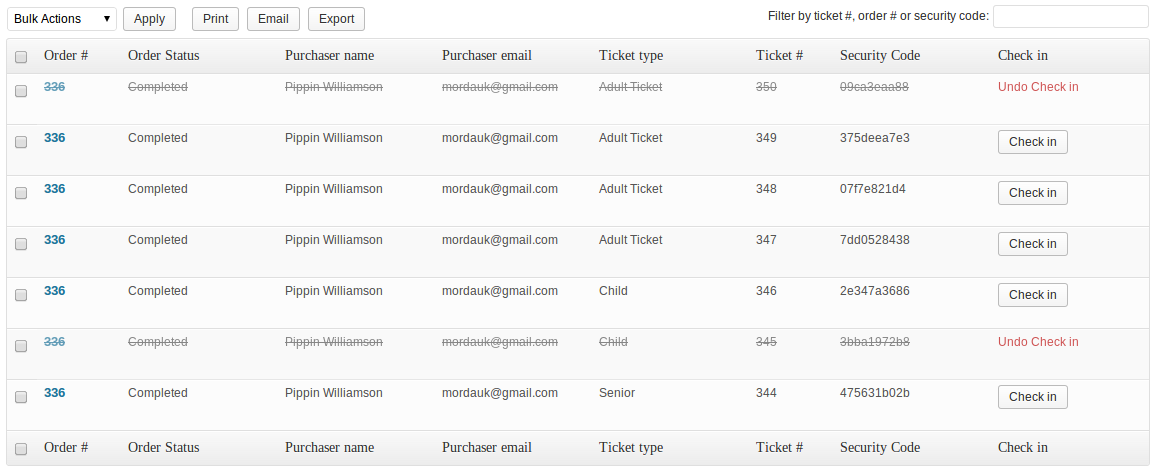
Many of the features for The Events Calendar are delivered with add-ons. Their latest add-on, due out soon, is a tickets add-on that integrates with the Easy Digital Downloads eCommerce plugin.
Easy Digital Downloads is a great eCommerce plugin that handles exactly what you’d expect: digital downloads. But it also handles subscriptions and other non-physical goods very well. It’s an excellent plugin from Pippin Williamson.
Modern Tribe already released a similar tickets add-on to integrate with WooCommerce, and if you already have a WooCommerce store, it’s probably perfect for you. I’ve used WooTickets a few times with great success. Likewise, if you already have a store running Easy Digital Downloads, the EDD add-on would be a great option.
However, if you don’t currently run a store already, but you want to sell tickets, the new Easy Digital Downloads store may be a more logical option, as it’s a bit lighter weight and doesn’t require or expect configurations for physical products and other powerful features WooCommerce comes with.
If you want to get a handle on the Easy Digital Downloads ticket add-on, Rob LaGatta did a nice demo of how to use it, which you can see below.
 Browser support is not a minor thing to consider when building web projects. Whether developing a website for a client or building a product, one of the most important things to clarify right away is what level of browser support is to be expected.