Welcome to the seventh “Week in Review” on Post Status, where I hope to offer up some of the things you may have missed in the last week or so. A whole bunch of good stuff to read from the last week, so let’s get to it:
Theme shops sorted by their Alexa rank
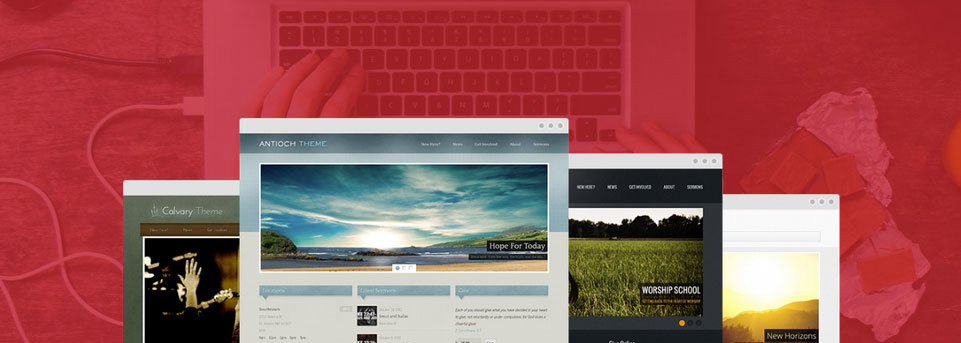
Devin Price has updated his list of WordPress theme shops, sorted by Alexa rank, for 2014. This is a really interesting list that’s sure to enlighten you to some theme shops that you’ve never heard of. I’ve referenced the 2013 version many times in the past. I’m glad Devin put time into doing this again.
Alexa isn’t a perfect way to rank theme shops, obviously, but it does offer good insight to see what average Joes unfamiliar with the WordPress theme landscape probably stumble upon as they search for WordPress themes. As Devin notes, the order of the top shops haven’t changed a whole lot in the past year, though pretty much all have gained ground, and WPMU Dev jumped all the way to number 1 from number 6.
That plugin that does everything you ever wanted? It doesn’t exist. And if it did, if someone built it, it would cost you thousands and thousands of dollars.
Because what you often describe isn’t a plugin. It’s a system.
And since you don’t want to connect several focused plugins, that each do the one thing they were made to do, you won’t really find the perfect plugin sitting there waiting for you.
Last week, I was in New York City for WordCamp and some client meetings. The event was a huge success, with four full tracks of expert designers, developers, and WordPress professionals sharing what they’ve learned.
I had a great time with everyone there. I saw old friends, and met new friends.
I had my recording equipment with me, and I asked a question to some folks there: how has WordPress changed your life?
And here are just a few of the pictures I took, from WordCamp and some just from around the city. I’m not much of a photographer, but feel free to use any of these however you wish:
WordPress and Drupal are both releasing security updates today that affect all supported versions of the two popular CMS platforms.
Nir Goldshlager, a security researcher and part of the Salesforce.com Product Security Team, discovered a PHP-level vulnerability that could result in denial of service (DoS) attacks. Goldshlager notified the PHP, WordPress, and Drupal security teams all at once.
The vulnerability is within a PHP XML parser used by XML-RPC, and is “vulnerable to an XML entity expansion attach which can cause CPU and memory exhaustion, and MySQL to reach the maximum amount of open connections.”
The bug itself is relatively minor, but of interest is the collaboration between the WordPress and Drupal teams to create a fix. WordPress lead developer Andrew Nacin and Mike Adams of the WordPress security team collaborated on a fix for the vulnerability and offered to coordinate with the Drupal security team.
The fix devised by Nacin and Adams prevents the XML-RPC vulnerability while keeping the feature active. Turning off XML-RPC would have left the burden of handling the fix on the site owner or host and would have harmed clients such as the mobile apps.
So, interestingly enough, two WordPress core developers are getting props today for both WordPress and Drupal releases. The respective security teams and Goldshlager have been working together for a couple of weeks now to appropriately address the situation and refine the patch included in today’s updates. The patch itself is for an external library that WordPress has always used, called the Incutio XML-RPC Library. Drupal uses a derivative of the same library, making the collaboration between the two teams quite logical and straightforward.
On May 28th, 2012, I was virtually introduced to Chris Lema. He had 653 Twitter followers at the time. I know so, because that’s how we were introduced — through an email from Twitter telling me he was now following me. At the time, he’d not even started daily writing on his personal blog; he didn’t start that until September of that year.
It’s hard to imagine a time where I didn’t know who Chris Lema was, or a time where I wasn’t learning from him. Today, Chris is a significant voice in the WordPress world. He was just announced, deservedly so, in the first batch of speakers for WordCamp San Francisco.
He’s been blogging nearly every day for two years. I’ve met him at a number of events. We’ve shared meals together. We’ve had phone calls where Chris gave me advice for my career and life. We even spent a week in Cape Town, South Africa traveling together for a WordCamp that I won’t forget.
Chris Lema is my friend, and a mentor. I owe him a tremendous amount for his advice, his continuous generosity, and his kindness toward me. And I also know I can’t pay him back; giving to others is his passion, and I’ll never be able match that in return.
What I know I can do is pay it forward. As I gain knowledge, and maybe even a shred of my own wisdom, I can pay forward that mentorship to others that are up and coming in their careers, and be to them as Chris has been to me and as others have been to Chris.
I’m one of many, many people that feel this way about Chris. He now has 6,500 followers on Twitter — something I note purely as a way to compare to the beginning of this post, and highlight how many people he’s impacted in such a short time. He’s also a direct mentor to dozens of people who make their living with WordPress.
What if Chris did WordPress full time?
Incredibly, Chris has had this influence and impact on the WordPress community without having a full time WordPress job.
Welcome to the sixth “Week in Review” on Post Status, where I hope to offer up some of the things you may have missed in the last week or so. Unfortunately, I haven’t posted since the last week in review. Trust me, that’ll change this week. There are already a lot of posts lined up for some upcoming news.
Fortunately, others in our community have been busy bees, writing away. Let’s dive into the news:
Themeforest adds a $3 hike to items and author team support
Themeforest is in the process of making some subtle, but overall significant, changes to their marketplaces. Last week they announced new support for author teams on Themeforest items.
Even more significant is a price hike, effectively immediately, that looks to be basically a $3 hike across all, or at least most, items. That ends up being 5 or 6% for most stuff, and for top sellers will mean tens of thousands of dollars of new revenue for their items.
I don’t think we’re seeing the end of changes for Themeforest. Keep on the lookout for more here — especially in regard to renewable licensing, which I think is on the way.
Welcome to the fifth “Week in Review” on Post Status, where I hope to offer up some of the things you may have missed in the last week or so.
Sass is coming to Underscores
A long-awaited feature, the first pass at introducing Sass to the Underscores (_s) theme has been committed. This morning’s commit by Tammie Lister follows a number of much-discussed Github threads, and it looks promising. The Sassy version of Underscores is in its own branch, if you want to explore it further and get started with that version right away.
I’ve been using my own forked version of Underscores for some time now, that includes Sass, and I’m happy to see this change. I look forward to comparing their version with my own and learning from it. Underscores has become one of the most popular WordPress themes to build custom websites from, and this is a great change.
If you don’t think you’re ready for Sass, Josh Pollock has a nice post on Torque to help you out.
Furthermore, he started a Github repo for a community-based, unofficial standards document. This is exactly the type of discussion that I hoped would occur, and I encourage you all to get involved. If enough of us encourage standards for some common custom content types, we can make portability between WordPress themes even better, and that would be great.
The first issue is to decide what post types to standardize, so go get involved.
Standard site logo support for the customizer
Also along the standardization theme, WordPress.com has introduced a feature for theme developers to create standard support for site logos, a feature that’s in almost any WordPress theme.
The feature is live on WordPress.com, and coming to a Jetpack near you. WordPress.com added support for about a dozen themes for the launch of the feature.
MailPoet and Sucuri spar over the handling of security disclosures
On July 1st, Sucuri disclosed a vulnerability in MailPoet, a very popular WordPress-centric newsletter plugin. Over the next few days, MailPoet released a variety of updates. A bunch of WordPress websites were estimated to be hacked. Updates were available, and many hosts made server level changes, but it affected every version and was a serious issue.
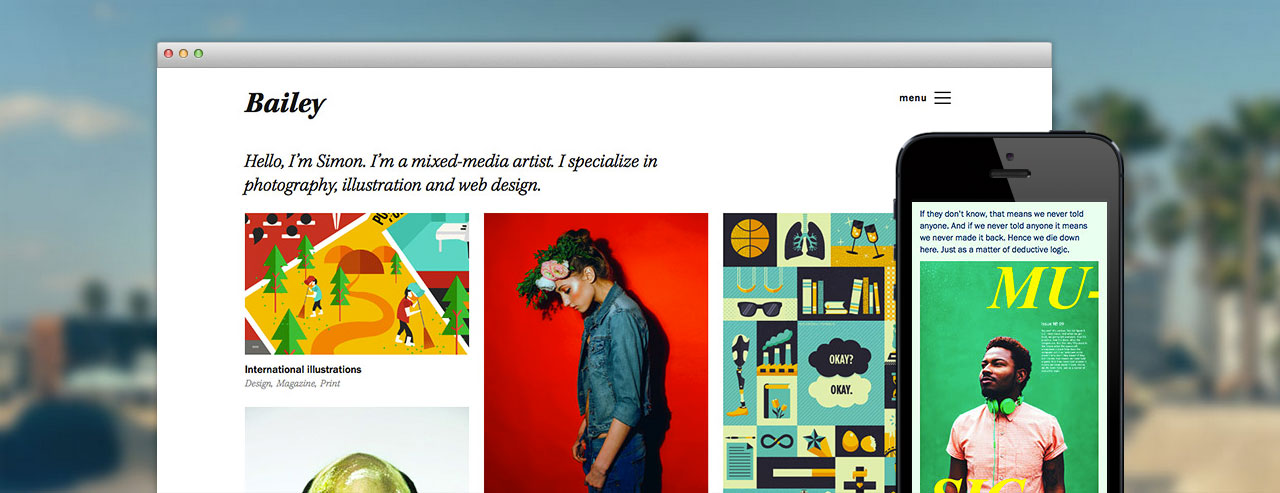
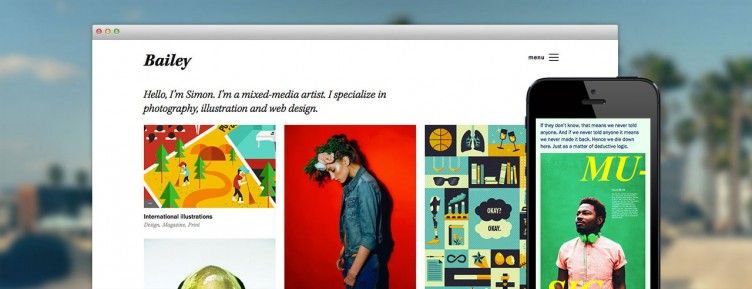
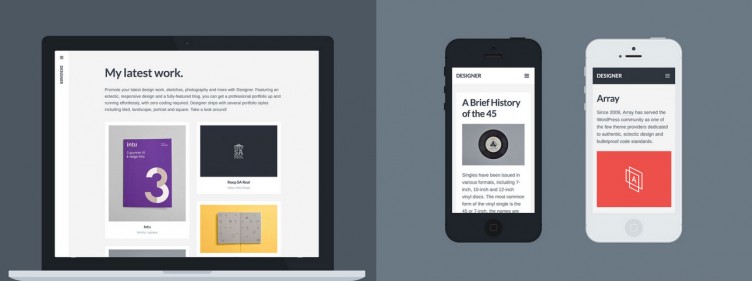
Both themes are for portfolio websites, and both themes use a custom post type for the portfolio.
What’s interesting, is that both themes are offering support for a common portfolio custom post type: the one on WordPress.com and the one coming soon to Jetpack 3.1.
For years we’ve been talking about the importance of not “locking in” users to CPTs bundled with themes. At some point, that gained decent adoption, but people still tended to just package the same code that was in their theme and put it in a separate plugin — a fine practice for sure. But it’s not a practice that makes it much easier to go from one portfolio theme to another; rather it’s a good way to be able to keep your content and support it with custom templates in some new theme.
What does it mean to standardize custom post types?
At its core, a custom post type requires a registration name. It’s common practice to prefix custom post type names, just like is best for any other WordPress thing. For example, if you have two eCommerce plugins installed (because people do strange things), it wouldn’t be ideal for both to register a post type named “product”, because a conflict could exist.
However, for many things, standard post type names make for better portability between themes. If you’re running eCommerce, it’s pretty specific to a particular eCommerce plugin. But if you have a post type for a portfolio, or testimonials, or staff bios, or something more generic, it could be a great thing to standardize so that different themes could support the same post type, which would result in better transitions for users from theme to theme.
WordPress.com and Jetpack can lead the way
WordPress.com and Jetpack have a great opportunity on this front. WordPress.com has a ton of websites and is a significant player in the theme market; most WordPress.com theme makers also release their themes for self-hosted installs.
As more WordPress.com themes begin to support more than blog-style content, WordPress.com is slowly enabling support for more custom post types. This means that WordPress.com — and Jetpack, it’s WordPress.org bridge — can lead the way in establishing some standardized custom post types for WordPress.
Bailey and Designer are great examples of this in action. Forefront, a business theme by Automattic, also has support for testimonials, which would work for their self-hosted version as well.
Current support for standard custom post types
Currently, Jetpack and WordPress.com support four post types:
Testimonials
Food menus
Comics
Portfolios (coming in the next version)
Really only portfolios and testimonials are mainstream styles of content. The other two were pretty theme specific add-ons, which Jetpack really just supported to aid transitions of .com users moving to .org.
There are many common post types that Jetpack and WordPress.com could continue to enable, including but not limited to the following:
Last week I posted about how much custom WordPress websites should cost. If you read that post, you know that it depends. Generally the feedback was fantastic, but many readers took from that post that they should raise their prices.
I disagree.
I mentioned in the post that I’ve worked on web projects ranging from $1,000 to $100,000. What I didn’t note is that I’ve made just as much — or more — profit per hour on $1,000 websites as I have on much more expensive projects.
Revenue is not the same as profit
Projects that cost a lot of money can break you just as easily as they can make you. We should consider the value of our projects based on not only the revenue, but the profit potential.
If I can perform a $1,000 project in 5 hours, including project management, I’ll do it. Every. Day.
Who doesn’t want to make $200 an hour? That’s a pretty great rate. I would rather do ten of those projects versus one $10,000 project that gets out of hand and takes 400 hours — 10 full time weeks isn’t that crazy of a number — where I end up making $25 per hour. It’s obvious, right?
Now think back to some of your projects. Have you created websites for $1,000? $3,000? $10,000? $30,000? More? And at what price point did you find yourself to be most profitable? What made it so?
Qualities of profitable (small) web projects
In the last post on pricing, I talked about the client multiplier for project management. It was mostly well received, and I got a lot of “Oh, man, I need to do that.”
And that’s probably because people could relate to projects that get out of hand and end up being expensive.
Great Project management
So, project management is obviously a huge factor for making projects successful. But project management isn’t something that only the client can screw up. We — as consultants — can very easily bungle a project. And it’s our responsibility to make “easy” and “difficult” clients successful parts of our web projects.
Either way, we need to make sure to keep project management a minimum. We can do this by automating tasks — check out Jennifer Bourn’s interview on WP Elevation for some great tips on this — and ensure our client isn’t going to require a lot of hand holding.
For a $2,500 project, if you’re charging $100 per hour, keep project management to fewer than 5 of those 25 hours. If you can’t do that, charge more or turn down the project.
Onboarding
This morning I listened to the latest episode of Businessology — a fantastic podcast if you’re into posts like this — and they started their series on onboarding clients.
Onboarding clients well is hugely important. Unfortunately, it’s costly. It takes time, and if you don’t price the client until after you onboard them, then that’s sunk cost into your business.
So you either need to price onboarding into every project that makes up for the projects you lose, or you need to charge for that time.
Proper onboarding for small web projects can be pretty simple. Essentially, you need to “lay down the law” and set expectations very, very early. I’m going to use a $2,500 budget for my example onboarding. That could go something like this:
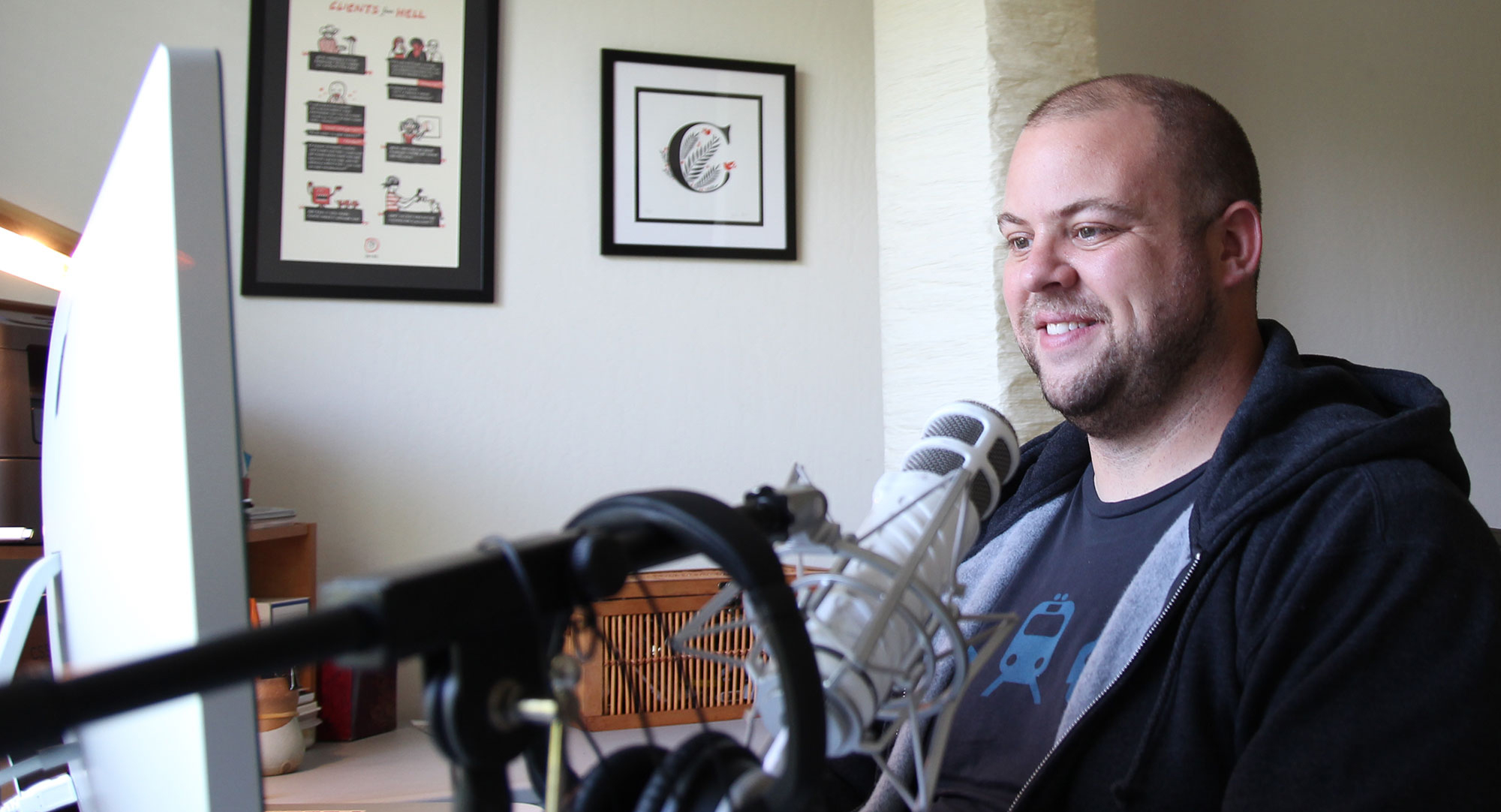
Chris Coyier is not a stranger to most of us web workers. He’s a designer at CodePen, a writer at CSS-Tricks, and a podcaster at ShopTalk.
He uses WordPress on all three of his primary projects. For years, Chris has been a consistent advocate for the platform. He develops his own websites with WordPress, but his day-to-day interactions are as a user.
Chris brings a unique perspective, I believe. He did some client work early in his career, but he’s been more involved in SaaS projects and membership websites; his current membership websites are on WordPress (CSS-Tricks) and Ruby on Rails (CodePen).
I asked Chris about his projects, his perspective on various aspects of WordPress, and the community around it. I enjoyed learning from him, and I hope you do too:
What have you learned from working on membership websites?
It’s just a good dang business idea.
Chris was sold on the idea of membership websites from his tenure at Wufoo and SurveyMonkey (where he worked once they acquired Wufoo).
He uses Pippin Williamson’s Restrict Content Pro for managing The Lodge on CSS-Tricks. At CodePen, they spend time thinking about pricing, churn, and other membership metrics.
They talk about some of these things (and much more) on the CodePen Radio podcast — an awesome podcast for anyone interested in SaaS, not just CodePen.
Delivering value
Another aspect Chris noted about membership websites is how it makes you want to continually deliver value for customers. He always wants to make people feel like they’re getting excellent features and value for the price of their membership.
Another thing he and the CodePen team are learning is prioritizing feature requests. When you are building for members, you want to build features members want; and sometimes that goes against other fixes that are less glamorous. So they are consistently trying to balance time spent on customer-facing features versus behind the scenes development.
Build the feature, get the reward
Chris talked about how important it is for him to build something, then be rewarded for the work he does, versus selling something and then having to build the feature for it.
He experience this with his big Kickstarter project for a CSS-Tricks redesign a couple of years ago, and said that mentality was really difficult for him.
What do you appreciate more now about WordPress, after using other software?
WordPress comes with a lot of built-in features that many of us (I do at least) may take for granted. Need a user system? Check. Need comments? Check. Need categorization? Check.
Building CodePen, Chris is able to appreciate (even more than before) just how powerful WordPress is and how much thought goes into every feature.
We dove into something seemingly simple as an example: tags. It turns out that something even that simple takes a lot of thought, consideration, and user experience considerations.
What it ends up as, is something you’ll have to iterate on for years to get anywhere close to how good the WordPress one works already. And that’s like the tiniest thing we could think about. Think about the login system, or something else.
So his advice was to focus on simplicity and decisions when building features, because required effort grows rapidly as a feature gets more complicated.
How would you compare the WordPress community to other web communities?
Chris has exposure to a much broader web community than I do. I’m pretty locked into the WordPress bubble. He sees the Ruby on Rails world, the more generic web world, and attends and speaks at a slew of non-WordPress conferences every year.
Even though he says he’s mostly in a WordPress bubble himself (he’s not exactly attending Drupal conferences, he notes), he thinks that the WordPress community is pretty top-notch, and hasn’t seen other communities that are “better” than the WordPress community.
There’s definitely no other CMS that I’m jealous of that community.
What questions about WordPress are you always seeing on the ShopTalk Podcast
Chris and his co-host Dave Rupert (seriously, follow Dave and gain laughs and knowledge in life) get a lot of questions about WordPress on the ShopTalk Podcast. Some of these questions are repeated pretty frequently, and they see trends of common issues.
Welcome to the third “Week in Review” on Post Status, where I hope to offer up some of the things you may have missed in the last week or so. It’s been a busy week, and there’s a lot to share, so let’s do it.
WordPress 4.0 beta 1 is out
Beta 1 of WordPress 4.0 is out. This means that the feature list is frozen, and testing is underway. If you haven’t tested WordPress 4.0, now is a great time to be involved.
WordPress 4.0 is going to be an excellent release. There are a number of nice new features slated, including language selection upon install (a huge feature), an improved customizer experience, new media views, a new plugins experience in the admin, and an awesome scroll effect in the editor that makes writing so much better.
WooThemes celebrated their sixth birthday last week. But I think they buried the lede in the post. Included in the celebratory post was the note that they’ve gone from 30 to 40 employees, doubled their revenues, and tripled their profit rates in the last year.
That’s some serious growth, and I’m sure mostly on the back of WooCommerce. As readers know (I love linking this post), WooCommerce is now over 80% of their revenue, and probably more now.
Bye bye, bacon
Sadly, WP Bacon is done for. The podcast was a fun one, and the blog was pretty good too, but Rob and Ozzy are moving on. The domain got hammered a while back, and the effort to recover the site’s value just wasn’t worth the effort, so the Bacon is gone.
No fear though, the folks behind it aren’t going anywhere. You can follow Rob and Ozzy on Twitter to catch them in their new antics.
The history of WordPress, abridged edition
Kinsta is a WordPress hosting company, and they spent some serious time putting together a pretty in-depth post about the history of WordPress.
This is a good read, but it’s honestly (even with a post this size) really hard to capture the complete scope of WordPress and its history. There’s a good book on the way that will really tell the story, but for now, Kinsta’s post is quite the achievement, and you should definitely check it out.
WordPress has a table for handling metadata of posts. Quite simply, it’s a good place to store “stuff” that relates to a post, but doesn’t belong in one of the standard parts of the posts table.
Metadata can be nearly anything. And it can be displayed however a theme wants to display it. You can grab it all and list it out together (as was a common use case for WordPress’ early blog structures). Or you can control what metadata goes where, very specifically.
Using custom metadata gets us out of the_content()
Today, metadata is used by plugins and themes that are distributed, and very often by developers creating custom things on WordPress.
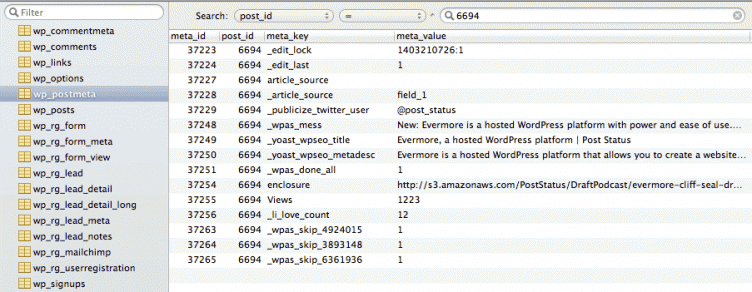
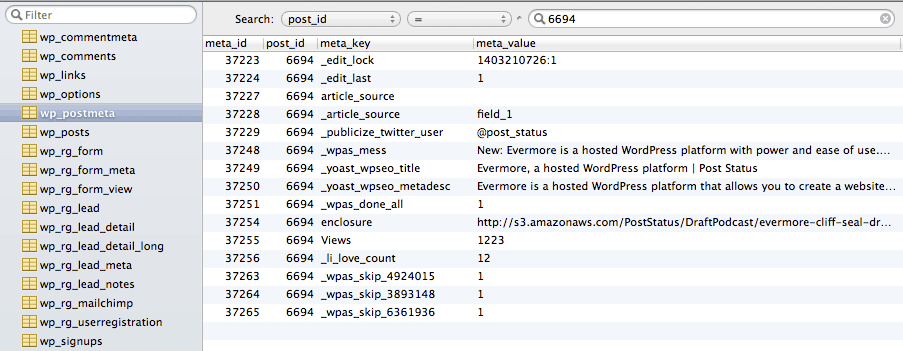
Here’s a sample list of metadata attached to one of my posts:
But it can get much more complicated than that. Take an eCommerce site, for instance. If a product is a custom post type, then the price, shipping details, dimensions, and many more things could all be metadata stored for that product.
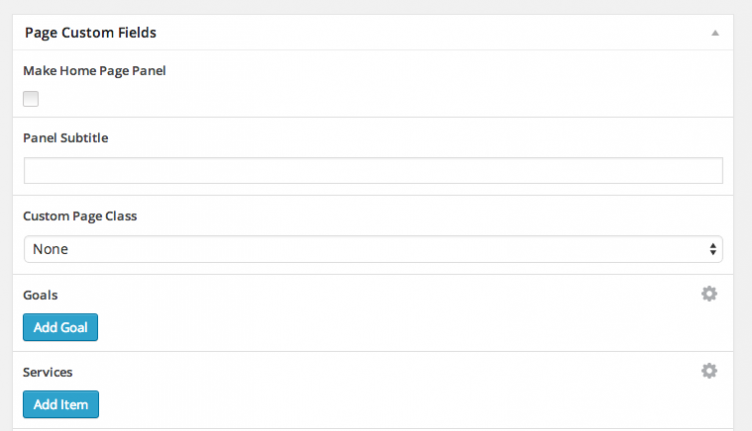
Custom meta boxes and custom meta field interfaces allow us to structure these things nicely in the WordPress admin.
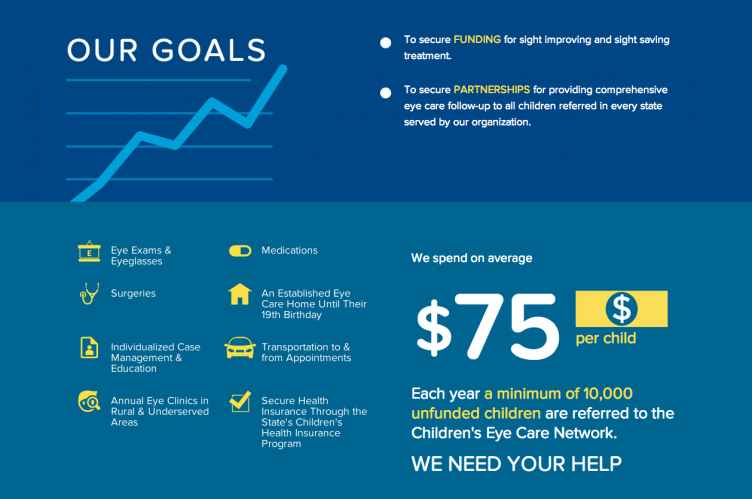
Then, on the front end of the website, you have control over how to grab and utilize that data. For example, the metabox shown above enables the use of that data on a page like this:
Metadata UI interfaces are fractured
Much of what I’m saying is old news to you. I get that. You know, use, and love making creative use of post metadata in WordPress. However, what I’m sure you also know, is that the landscape of tools for creating interfaces for entering custom metadata is incredibly fractured.
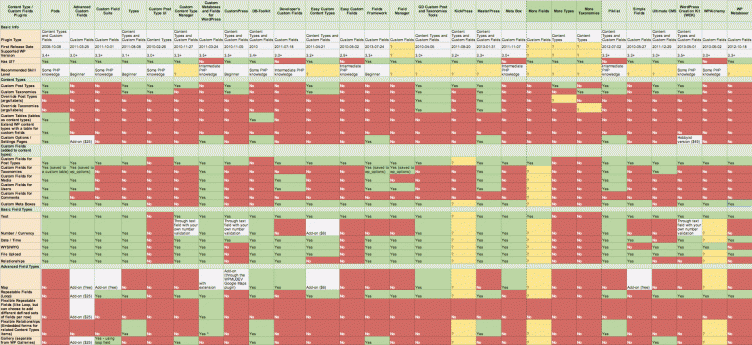
There are dozens (if not hundreds) of publicly available plugins, drop-in classes, and generators for creating custom metaboxes and interfaces for inputting metadata. Here’s a screenshot of an incredible breakdown of various available tools.
WordPress’ core metadata / custom fields interface is lacking. So tools have come about to make making custom meta boxes, defining fields, and interfacing with custom metadata easier.
Problems arise from non-standard meta handling
Some of the most popular tools to enhance the WordPress meta-data handling experience are Advanced Custom Fields, Pods, Custom Field Suite, and more. There are also many classes that are meant to be dropped into a custom theme or plugin.
Welcome to the second “Week in Review” on Post Status, where I hope to offer up some of the things you may have missed in the last week or so.
WP Sessions VIP
My friend Brian Richards is going full-force with WP Sessions and its new VIP offering. WP Sessions is a great way to learn specific WordPress topics from seasoned professionals. As announced on the blog, the new VIP offering is a yearly membership to WP Sessions, and includes exclusive speaker interviews, consistent new content, member discounts for partner products, and a highly discounted price versus buying each session independently.
The pricing is $297 per year, but this week, you get $50 off and the first 100 people get a clean $100 off. At any of those prices, WP Sessions VIP is definitely a great offering for those that want to learn WordPress from some really smart people.
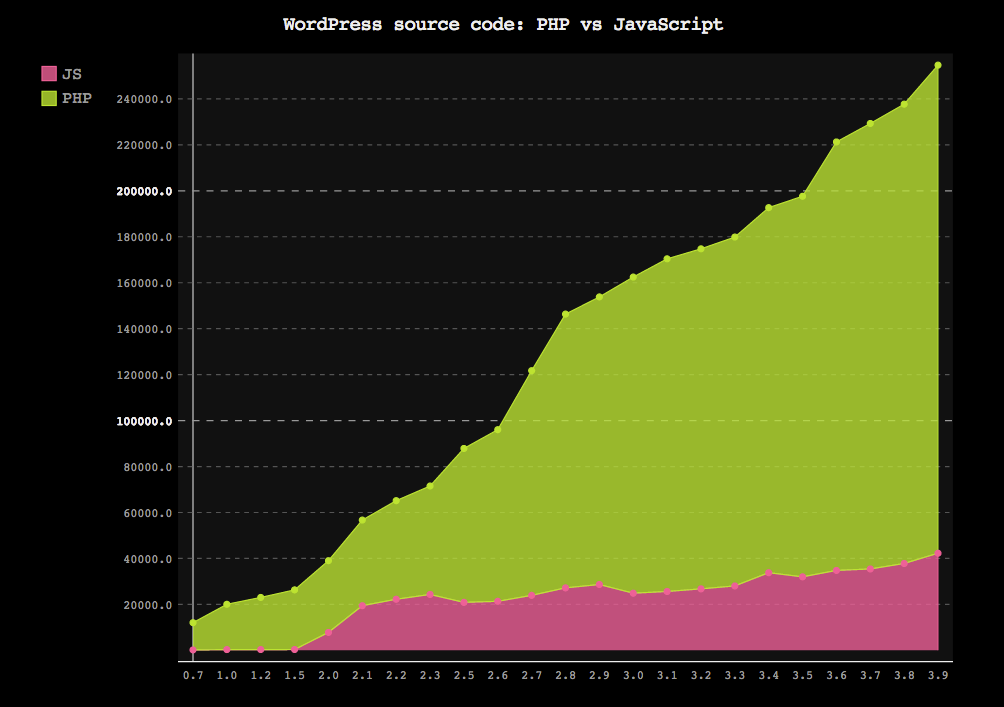
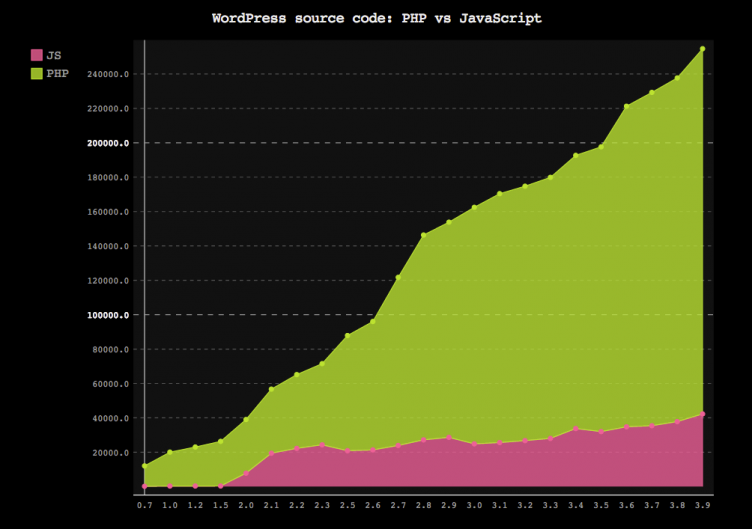
Is Javascript taking over WordPress?
Jordi Cabot posed this question after seeing a conversation on Twitter to try and confirm some quotes by Matt Mullenweg and Andrew Nacin about the likely future pervasiveness of Javascript code in WordPress core.
Jordi did some analysis, and while Javascript is growing in WordPress (especially as the foundation for a variety of features), it’s not quite “taking over”. But Jordi gives some great advice:
So, JavaScript is not taking over WordPress (yet) but based on these numbers and Matt’s opinion, it seems that if you want to call yourself a WordPress Developer (btw, Google says that there are over 600.000 “WordPress Developers” pages indexed), you may want to start learning a little bit of JavaScript apart from PHP.
Get started freelancing in WordPress
Curtis McHale was interviewed on the iThemes blog, where he shared some of his philosophies, and how he manages a successful freelance business.
From learning, to making money, to acquiring clients, to networking, Curtis has some really great advice here that we should all read.

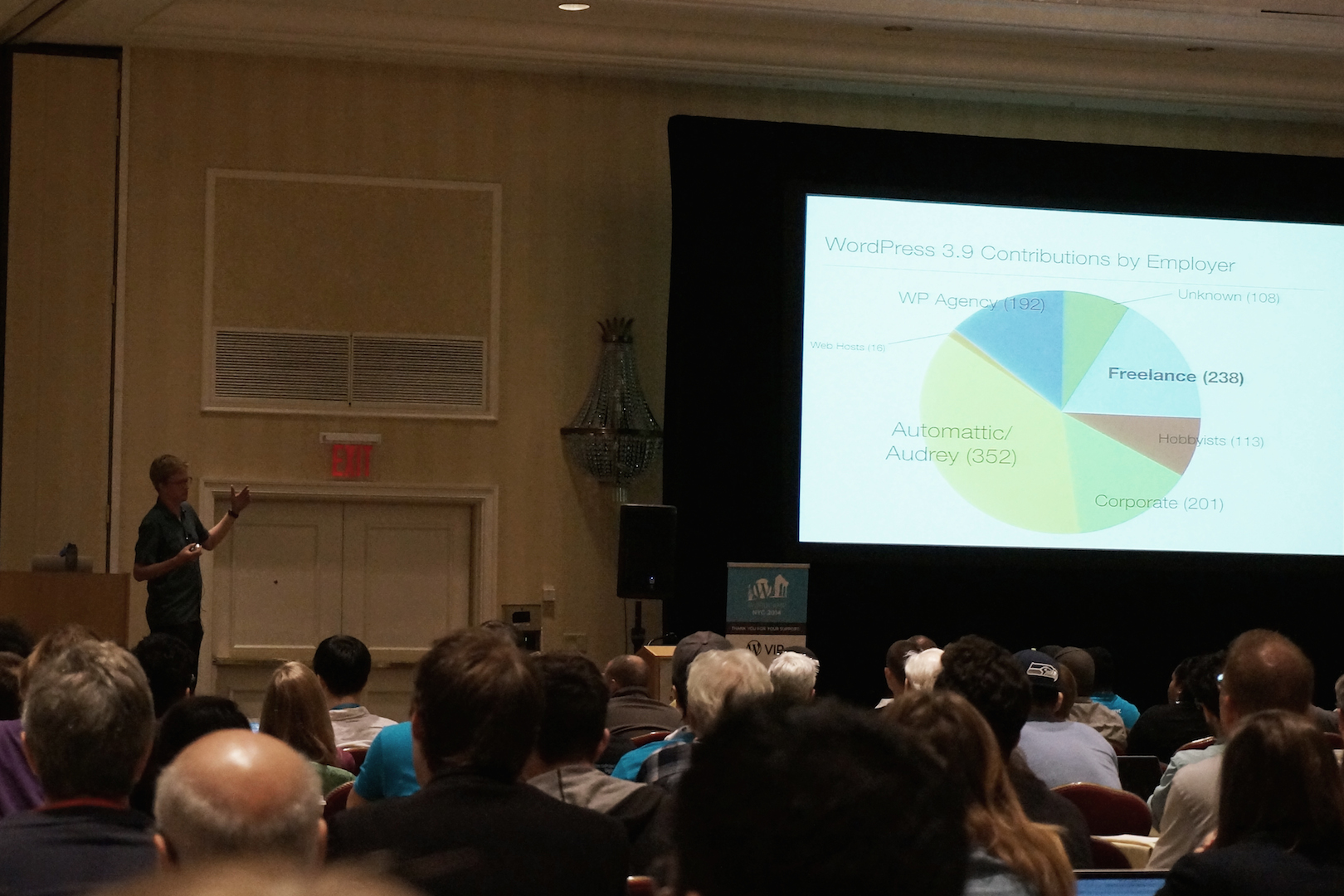
 Last week, I was in New York City for WordCamp and some client meetings. The event was a huge success, with four full tracks of expert designers, developers, and WordPress professionals sharing what they’ve learned.
 WordPress and Drupal are both releasing security updates today that affect all supported versions of the two popular CMS platforms.
 Chris Coyier is not a stranger to most of us web workers. He’s a designer at
 WordPress has a table for handling