

A friend and former coworker of mine really likes the word “webmaster”. Because it’s a hilarious word. It suggests that this person has control over the web in general, which is pretty pretentious. However, traditional webmasters have long had a place in the workplace.
Today, I stumbled upon a conversation between Marc Andreesson, of the enormously influential Andreesson Horowitz, and Jake Kaldenbaugh. They were debating about how well “capital-J Journalism” can continue as the top source for “truth”.
Andreesson’s argument stems from the notion that technology behind news is generally free and the operating expenses are low, which offers a very low barrier for just about anyone to be able to do “capital-J”, or trustworthy, news.
By itself, this was interesting to me. I love reading about journalism, especially in relation to the web. If you do too, you should be following and reading from the Nieman Journalism Lab. But Andreesson also specifically noted WordPress in this debate.
Is the webmaster dead?
He states that traditional webmasters aren’t needed anymore, because WordPress “does most of it.”
It sounds ridiculous for me to speculate about the role of a job description because of someone’s tweet, and it’s true. But in the case of Marc Andreesson, or even his Twitter account, it’s nothing new. So get over it.
Andreesson has a good point. Publishing tools like WordPress have greatly lowered the barrier to “capital-J Journalism”. Granted, it is a fairly specific style of organization that has traditionally been in need of “webmasters”, but in the case of journalism, it’s an important group.
Local news and WordPress
Some of Andreesson and Kaldenbaugh’s conversation centered around Patch, AOL’s failed local news experiment. While local news itself is an important medium that’s unfortunately one of the most difficult to make it in, I never liked how Patch planned to work.
Outside of proprietary platforms like Patch, WordPress dominates local news. In a small newsroom of, say, 1-30 people, WordPress is perfect. These organizations can present a quality web portal for news, just like the big guys.
And without a big clunky CMS to deal with, which can bring down big news orgs too by the way, these organizations can focus more on journalism and less on tooling.
What’s more, WordPress allows the journalist to publish straight to the web. There isn’t a need for a technical editor. A journalist finds a story, writes it, and publishes. No in-between guy. No webmaster.
Work your way in, not up
Most advice I’ve seen for journalism seems to get it about half-right (you know, because I’m an authority on journalism jobs and all). The good advice is the “just do it” mentality. The bad advice is that you have to “work your way up from the bottom.” I disagree, assuming the bottom is defined as within a large news organization.

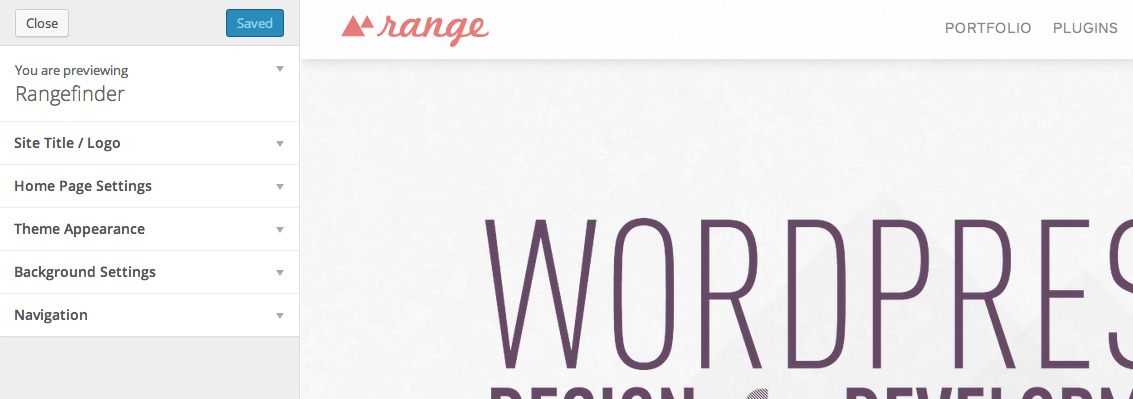
 The theme customizer feature was introduced in WordPress 3.4,