



Brian Krogsgard

WooThemes releases Bookings for WooCommerce

woocommerce-bookingsWooThemes has been working on their Bookings extension for quite a while. They had the idea for Bookings before WooCommerce was WooCommerce, and had some form of the product even in December 2011. They wanted to make sure they did it right.

Currently, there are few options for bookings and appointment management for WordPress website owners, and definitely not that integrate seamlessly with their popular WooCommerce eCommerce platform.

edit: There actually is another booking and appointments WooCommerce plugin, which I did not see before publishing this post. Though it’s still quite significant to see one come officially from WooThemes.

On Tuesday, WooThemes unveiled Bookings. Here’s the introductory video:

Bookings is a pretty thorough product right out of the box. It allows site visitors to view bookings through a calendar or list interface. It also has resource handling so that, for example, one “bookable product” can have three rooms, each independently bookable through the same product. Honestly, the WooThemes launch post and Chris Lema’s rundown of the plugin will showcase the plugin’s features better than I can.

This is also WooCommerce’s most expensive extension to date. Bookings is $249 for a single site license, though for five and twenty-five site licenses it doesn’t go up that much. The extension is also on sale in this introductory period for $149. It’s a good time to grab the developer license if you know you’ll want this product down the road.

One thing that was striking to me right away was the lack of a demo. And I’m not the only one. About ten commenters are asking for a demo. It’s honestly quite difficult to see the user-facing side of Bookings without one. The WooThemes team said they didn’t utilize a demo because they didn’t want to limit Bookings to a single use-case, but they quickly changed their tune based on the number of requests, and say multiple user-facing demos are on the way to showcase what WooCommerce Bookings can do in the real world.

Developing WooCommerce Bookings

Bookings isn’t a simple product. That’s part of what took so long to create it. They do have 6 new documentation pages already created for it though, to help guide both site owners and developers through using and extending the product.

The development of WooCommerce Bookings is being managed by Mike Jolley, the original and lead developer of WooCommerce itself. Claudio Sanchez will also be working alongside Mike.

Seven contributors have taken part in the development of Bookings thus far. You can see the considerable activity here in a screenshot of the Github contributions page:
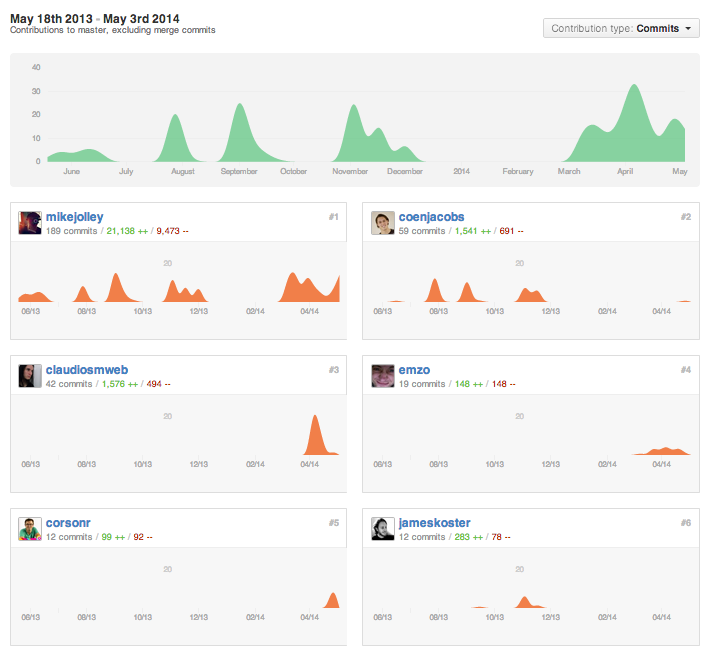
bookings-contributors

My takeaway on Bookings

Read more

The cost of running a WordPress website

shoes-moneyA WordPress website is very affordable to get up and running. You can do it for free, plus the cost of your average shared hosting account. However, running a more serious site can get considerably more expensive.

Here’s the list of stuff that I use here on Post Status, along with associated costs. I’m also going to include some additional services that I either want to use in theĀ future, or at least want to explore.

Monthly recurring costs

Hosting

Hosting ranges in cost. Upper-end shared hosting costs between $15 and $25 dollars per month. However, it can quickly go to $75 a month with a VPS. I’ll use $25 as a good median cost for managed hosting. I host this website on theĀ SiteGroundĀ managed WordPress setup.

Security and asset management

I have been using CloudFlare, through SiteGround’s interface, for managing assets, minifying scripts, and more. It costs $14.95 per month for the paid plan. They also add a layer of security, though that’s not the primary benefit of the service. I may cancel it soon, since I’m undecided about CloudFlare. I may choose to handle those types of optimizations independently.

Backups and updates

I’ve been using WP Remote to manage updates and supplementary backups to my host. My five site plan costs $20 per month. Similar services, like ManageWP, iThemes Sync, and VaultPress start closer to $5 per month for single site plans. I featured WP Remote last year when they had their big upgrade.

Spam prevention

A base plan for Akismet costs $5 per month, though you can also get away with using it for free. I never upgraded my account, but I probably should now that I haveĀ somewhat commercial uses for my website. If you don’t like Akismet, you could use third party commenting system like Disqus, or you could use Antispam Bee, which is a popular Akismet alternative.

Chartbeat real time analytics

Chartbeat is a real-time analytics provider. I’m currently using their 30-day free trial. Once you complete your trial period, it moves to $9.95 per month for up to 1,000 concurrent visitors, a milestone I’ve never reached with this website. I’ve enjoyed Chartbeat, though I’m not convinced it gives me any more valuable metrics than WordPress.com stats and Google Analytics do. And Google Analytics’ live view is like a trimmed-down version of Chartbeat’s service.

Freshbooks, for managing payments and invoicing

I invoice for my partnerships on Post Status, and I also pay site contributors for their help. I use Freshbooks to manage this activity, and it costs $19.99 per month to do so, and itĀ also integrates with Stripe, which carries an additional 2.9% fee.

Amazon S3

I store audio on Amazon S3, though it can be used for much more (like images and site backups). My costs are very low right now, like under $2 per month. But I’m going to round it up to $5, which would probably cover most people that would ever use S3 for a normal website. It’s an insanely cheap service.

POTENTIAL ADDITIONAL SERVICES

Optimizely A/B testing

I want to do someĀ A/B testing to help increase engagement on Post Status. I haven’t done it yet, mostly because of time, but also because in its current state I don’t have as many clear conversion goals. However, that may change in the future, and I want to be prepared to test how well I’m doing. Optimizely has gotten rave reviews and it’s super easy. Well worth it if conversions matter to you. It starts at $17 per month.

VaultPress for real time backups

I really like WP Remote for backups and updates. But I’m considering getting VaultPress for real time backups. Something about that would just make me feel secure. That would run me $15 per month. I’d still keep WP Remote for updating plugins and such.

Beanstalk for deployments

We use Beanstalk at Range for managing our version control repositories and deployments. I really love it. I keep meaning to put Post Status on a better setup, so I’ll probably be moving it to use Beanstalk soon. It runs $15 per month at the base level (10 repos).

Yearly recurring costs

I use a number of plugins and services that are annually based fees as well.

Read more

The Stream plugin lets you track all WordPress user activity

streamStream is a WordPress plugin by X-Team that allows site owners to track all activity on their website. The free version of the plugin was released in December of 2013, and this last weekend they announced their first commercial extensions.

I’ve been wanting to try Stream for a while. For one, I could use the functionality here on Post Status. Secondly, I knew that Stream was a significant business decision for X-Team, who does WordPress and Drupal consulting; they are also the latest addition to the WordPress.com VIP partner list.

Headquartered outside of Melbourne, Australia, I had no idea that X-Team hadĀ 100+ employees. Like a number of companiesĀ in the WordPress space, they are a distributed workforce. Nevertheless, I particularly took note of Stream when Japh Thomson, former Envato WordPress evangelist, announced he was movingĀ to X-Team to work on Stream full time.

How does Stream work?

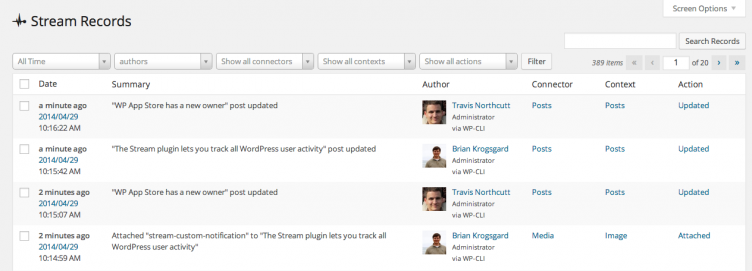
Stream is basically an activity log of everything that happens on your WordPress site. You can track activity for particular users, or by post type, for comments, various plugin settings, core settings changes, and (quite literally) everything else.

If you change the database, Stream will grab and log the change.

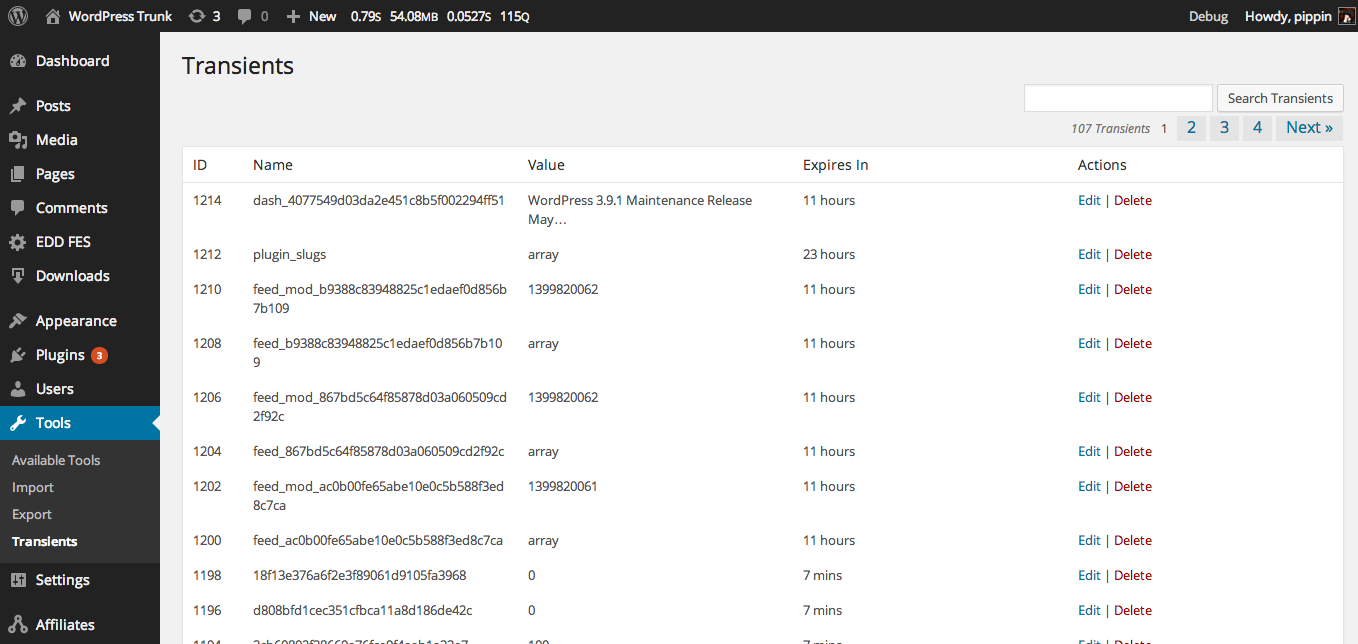
stream-records

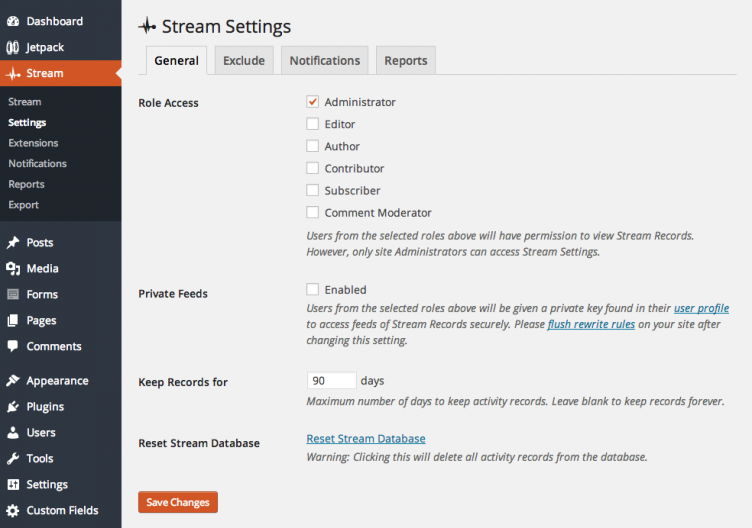
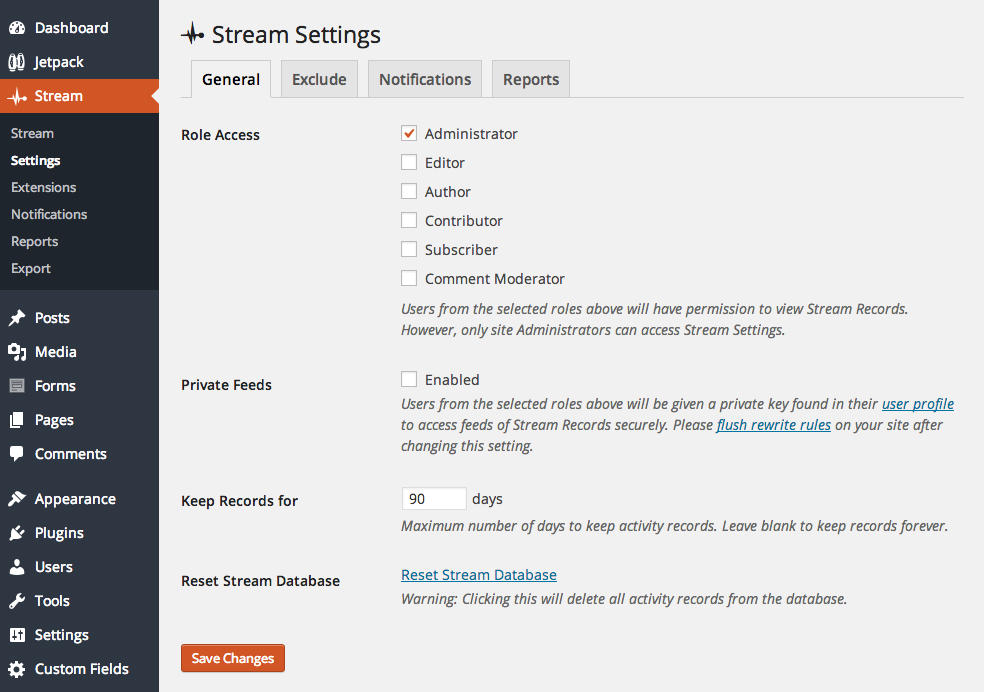
Of course, a couple of concerns popped up to me immediately with that notion. First, I wanted to know, is this going to be a database hog? Stream has a few ways to handle this. Administrators can limit the number of days records are kept (the default is 90), or they can choose to exclude certain types of data from the records (like comments).

There are a number of settings that users can configure for stream.

stream-settings-page

For those that choose to limit the number of days records are kept in the database, one of their first commercial extensions, Data Exporter, will appeal to you. Though I’d love to see that export happen automatically so that users can always keep their history in Dropbox or similar.

Another commercial extension option that excites me is the one for custom notifications. Administrators can create custom notifications, sent by email or via push notification, and get notified of custom events. For example, here’s one that will now send me emails when someone creates, publishes, or updates a published post on my site.

Read more

New Rainmaker, a hosted WordPress service by Copyblogger

new-rainmakerI have called it the future in the past, and it seems the future is here.


I’ve always wondered why more people haven’t created their own little hosted WordPress platforms. In my view, there could be a hundred WordPress.com style platforms, each serving their own niche.

Happy Tables (hosted WordPress for restaurants) helped pioneer the concept, and launched years ago. I thought at the time that others would follow left and right. They haven’t. But now I feel it coming.

Copyblogger owns a variety of products, and markets heavily toward marketers. WordPress has always been their tool of choice. You probably all know StudioPress and Genesis, their theme shop and flagship theme, respectively. But they also have Premise for landing pages and membership. They have Scribe for SEO. And they have other products, conferences, etc. They do a lot.

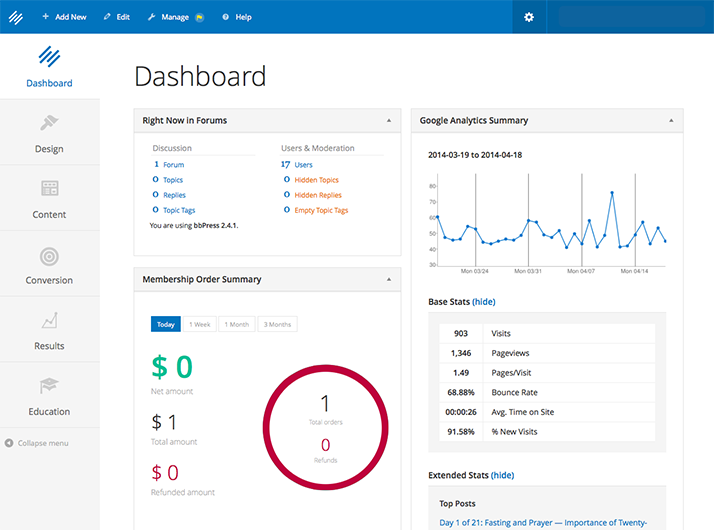
New Rainmaker is a hosted version of WordPress, built for media marketers. It includes a fancy skin of the WordPress dashboard, a customized workflow for doing common tasks, and bakes in various Copyblogger products, streamlined for an audience that wants to get up and running fast, with little self-configuration.

The walk-through of New Rainmaker on their tour pageĀ does a better job than I can describing how it works, but here’s a preview.

Read more

our sponsors

Hosting.com logo
Omnisend
Kinsta
Progress Planner
Elementor
WP Munich
Atarim
Patchstack

Looking for our logo?

You're in the right spot!

Check out our Logo & Style page.